담아둠
LinkDrawer
어떤 앱에서든 공유 버튼 한 번이면 링크 저장. 태그·폴더·즐겨찾기·본문 검색으로 다시 찾고, Chrome·Edge·Firefox 북마크 가져오기와 파일 백업까지. 서버·로그인 없이 기기에만 저장합니다.
Save a link from any app with one tap of the share button. Find it again by tag, folder, favorite, or full-text search; import Chrome, Edge, or Firefox bookmarks and back everything up to a single file. No server, no login — data stays on your device.
주요 기능
Key Features
📲
공유로 0초 저장
Save in 0 seconds
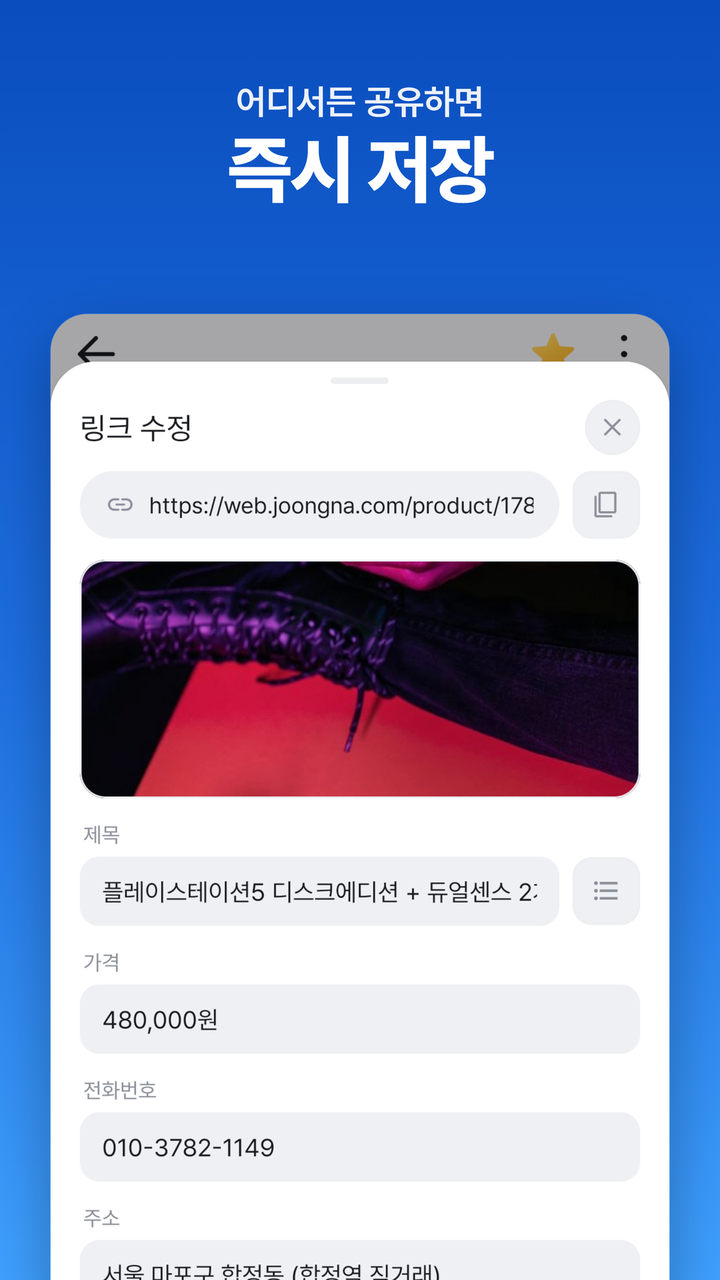
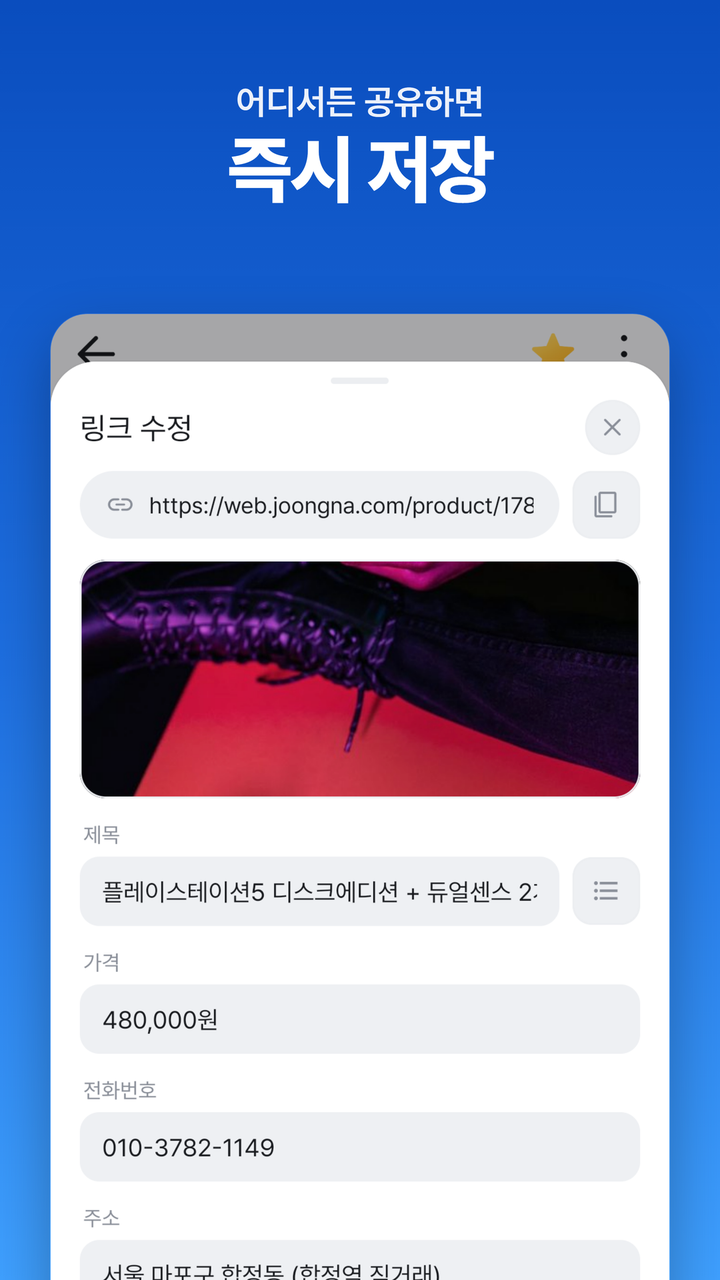
크롬·중고나라·당근 등 어떤 앱에서도 공유 시트에 "담아둠"이 뜸. ACTION_SEND 인텐트로 텍스트에 섞인 URL만 정규식으로 추출.
Any app's share sheet surfaces "LinkDrawer" via an ACTION_SEND intent filter. A regex pulls just the URL out of mixed text.
🔍
자동 메타데이터
Auto metadata
Jsoup으로 og:title·og:image만 안전하게 추출, 비동기로 채움. 입력 화면은 기다리지 않고 즉시 노출.
Jsoup safely pulls only og:title + og:image in the background — the save sheet never blocks on parsing.
📁
그룹 + 즐겨찾기
Groups + Favorites
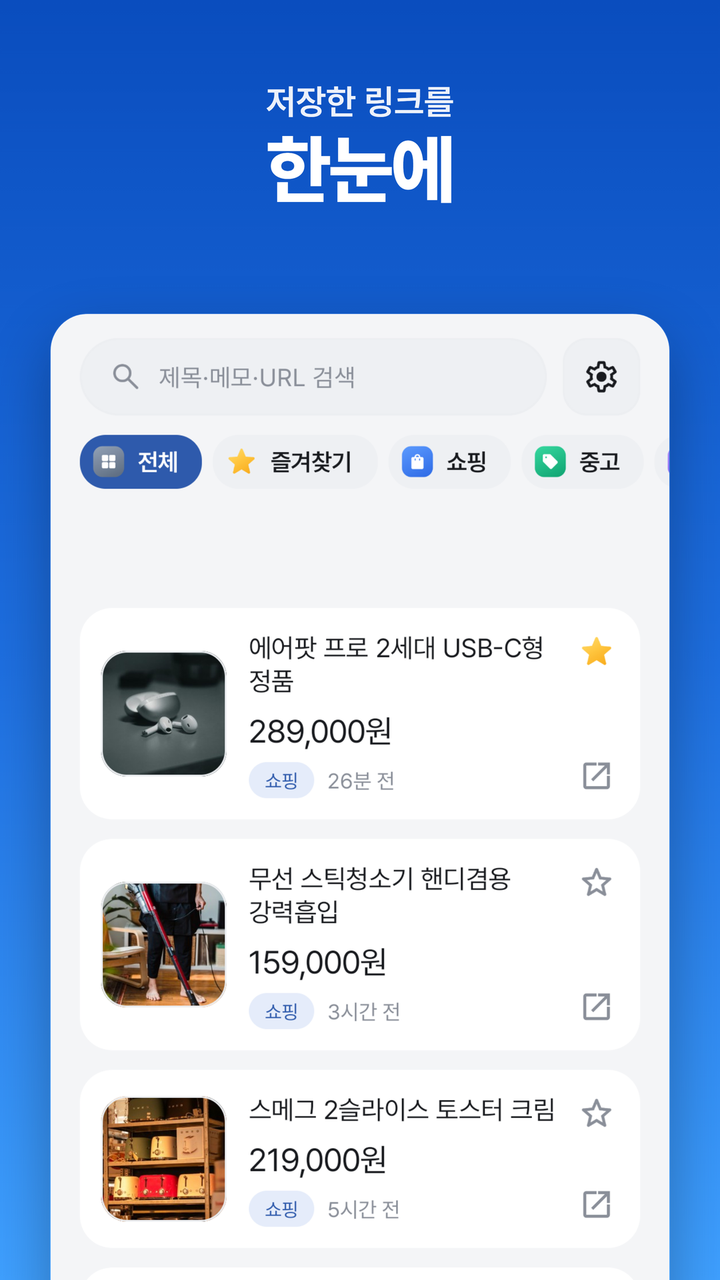
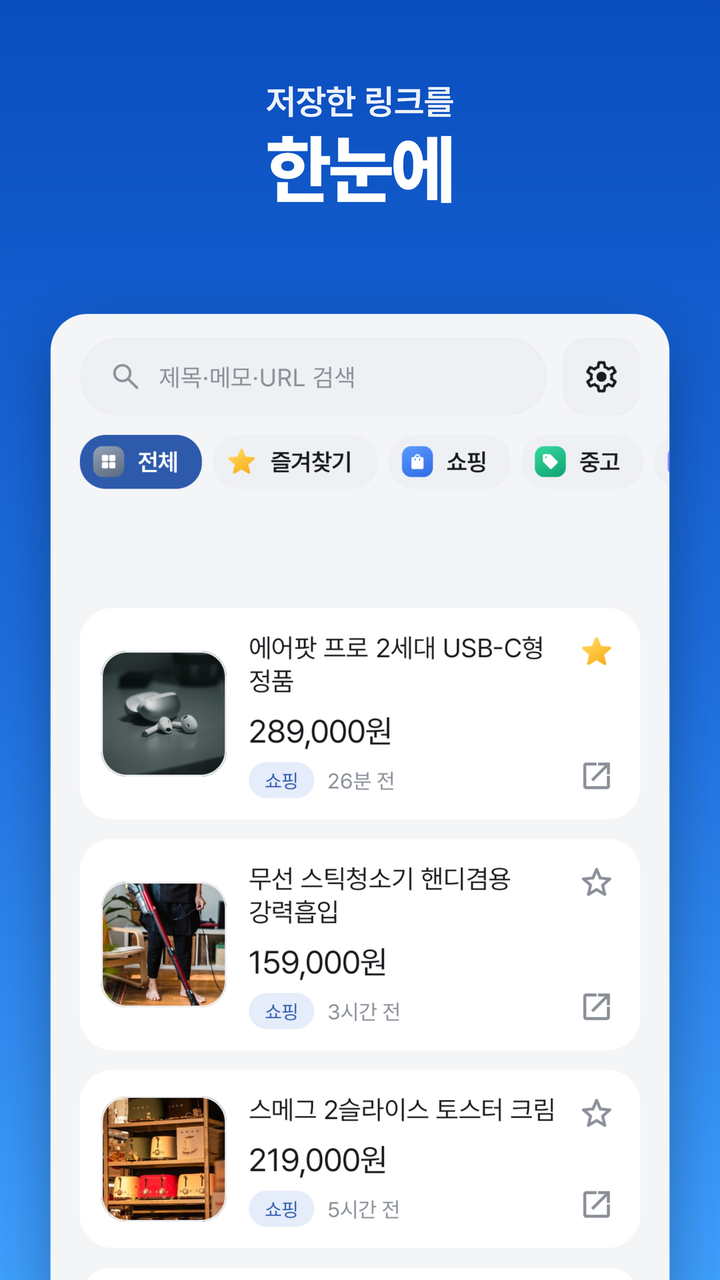
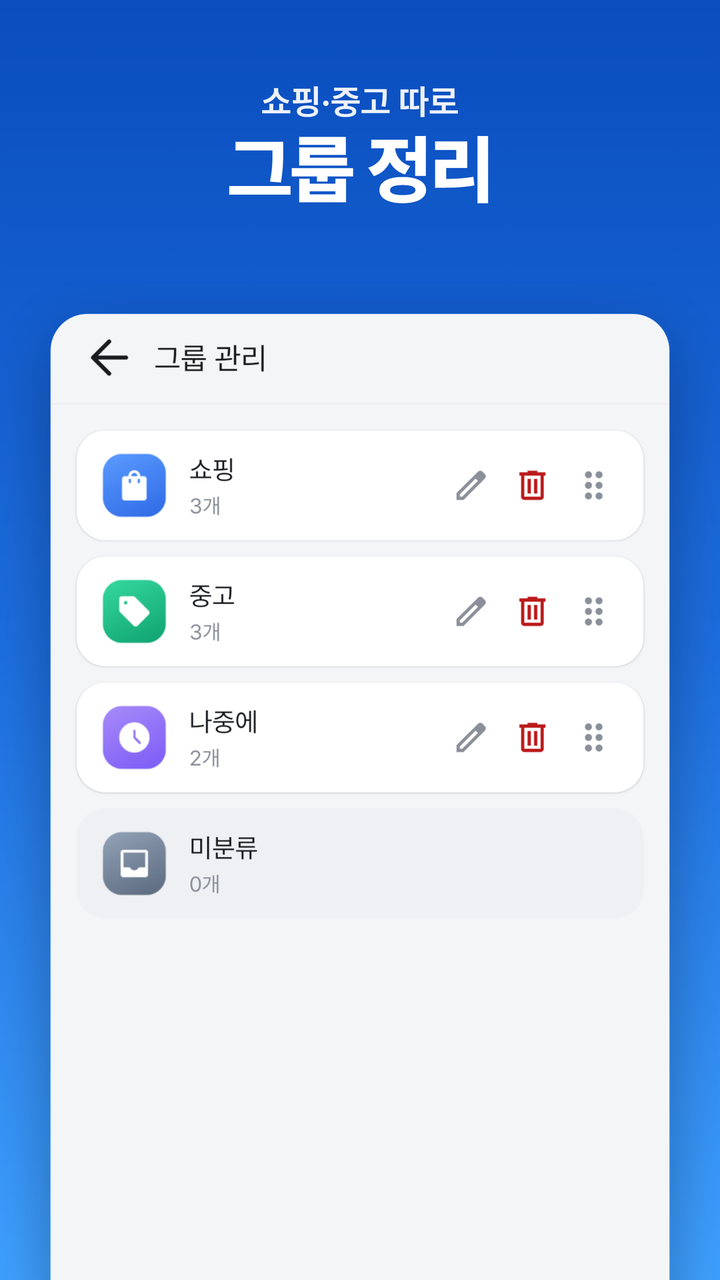
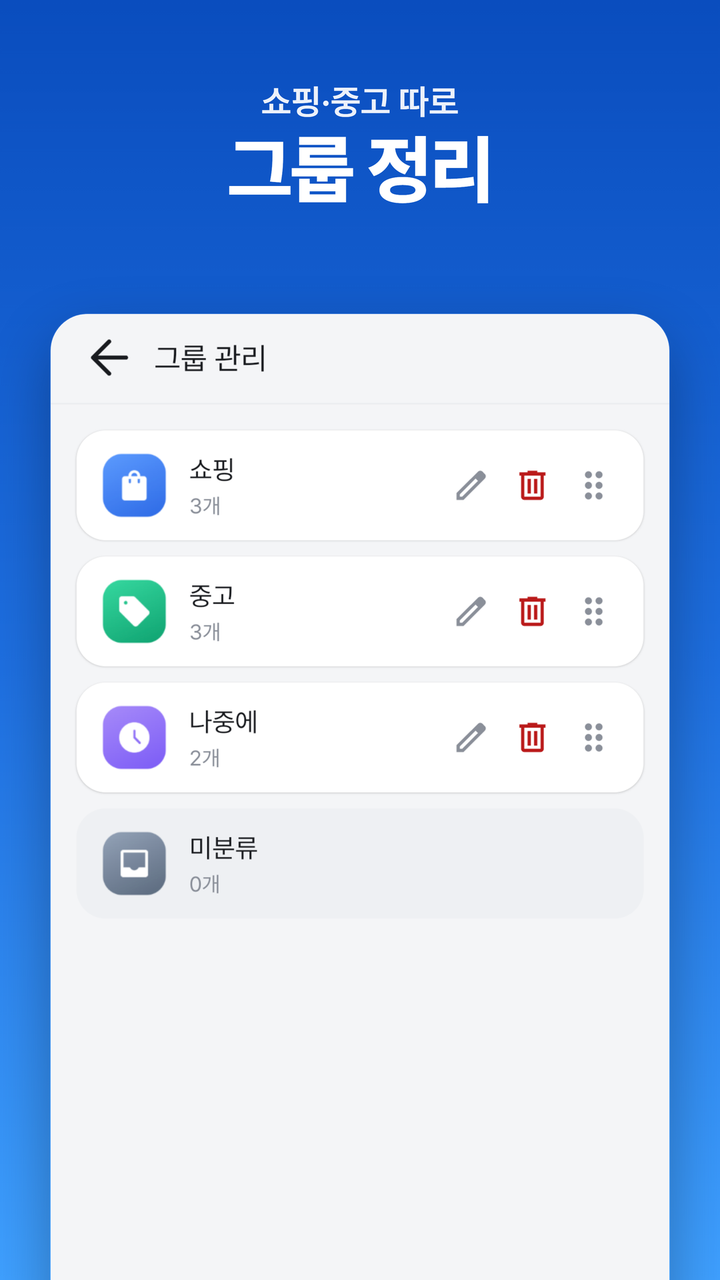
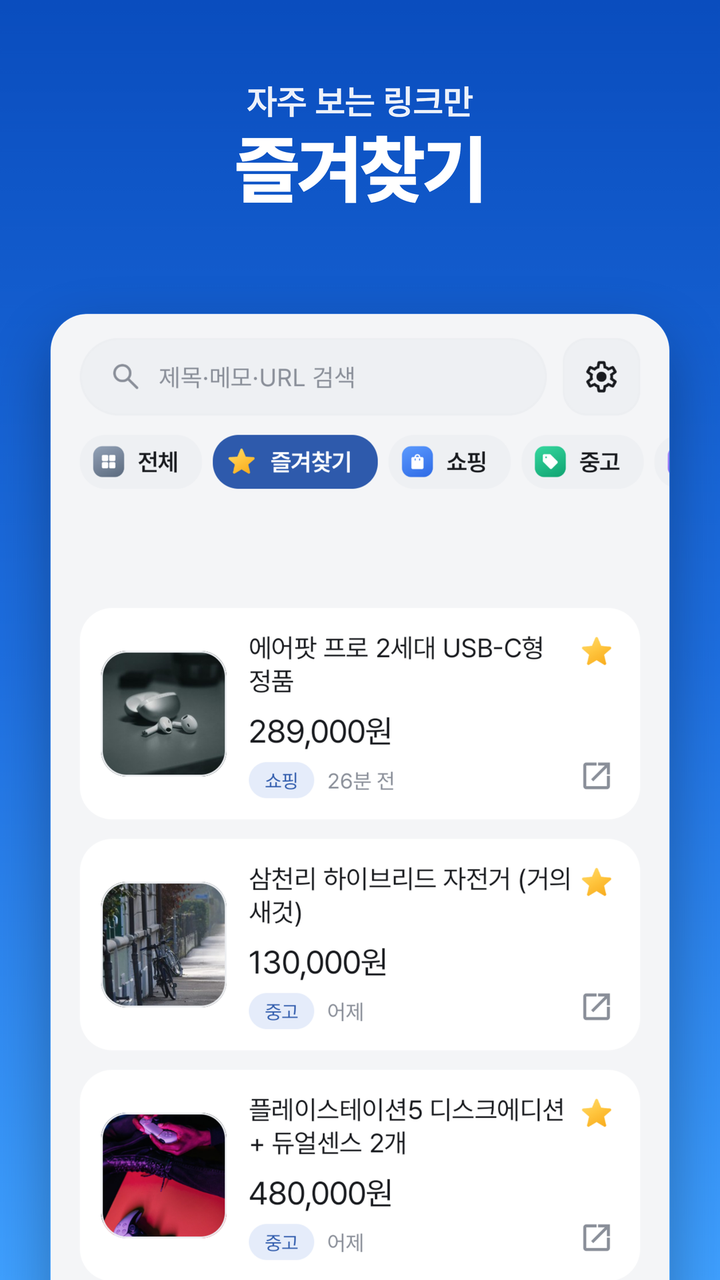
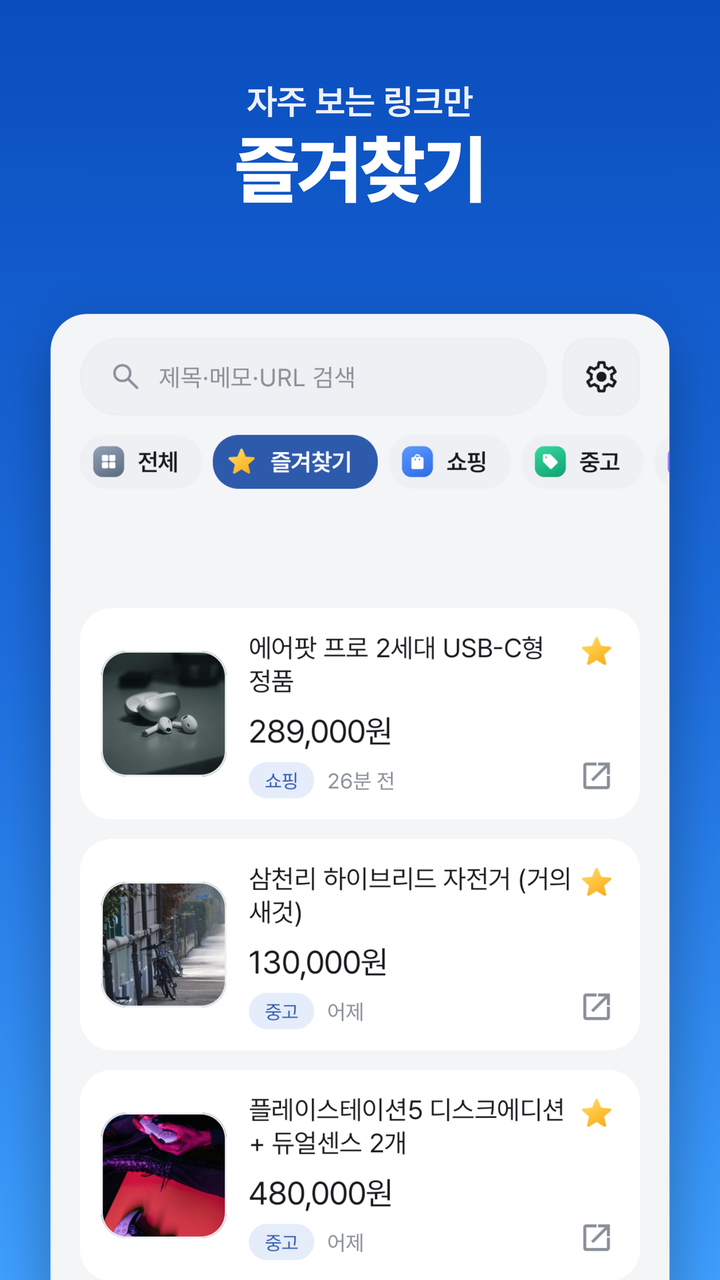
기본 3그룹(쇼핑·중고·나중에) 제공, 자유 생성·드래그 정렬. 그룹과 별개로 즐겨찾기 별표.
Three default groups (Shop · Used · Later), free to add/reorder via drag. Favorites star is separate from group.
🔎
검색 + 키워드 강조
Search + Highlight
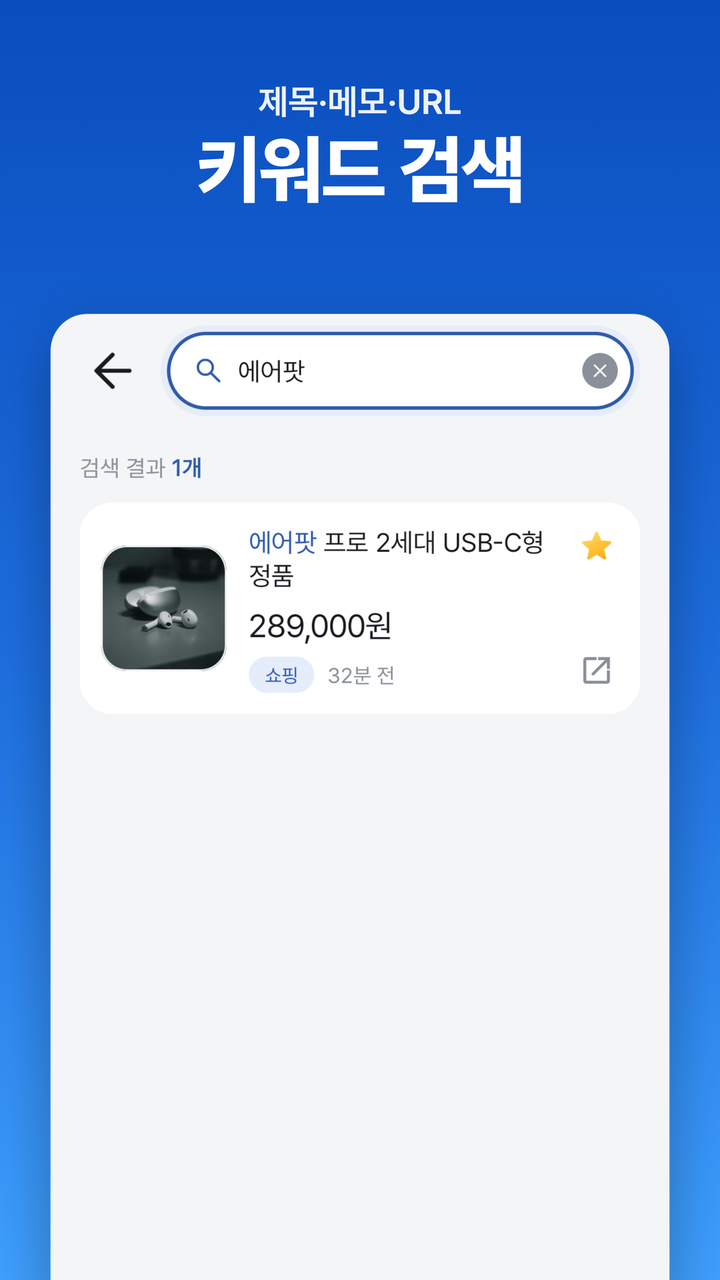
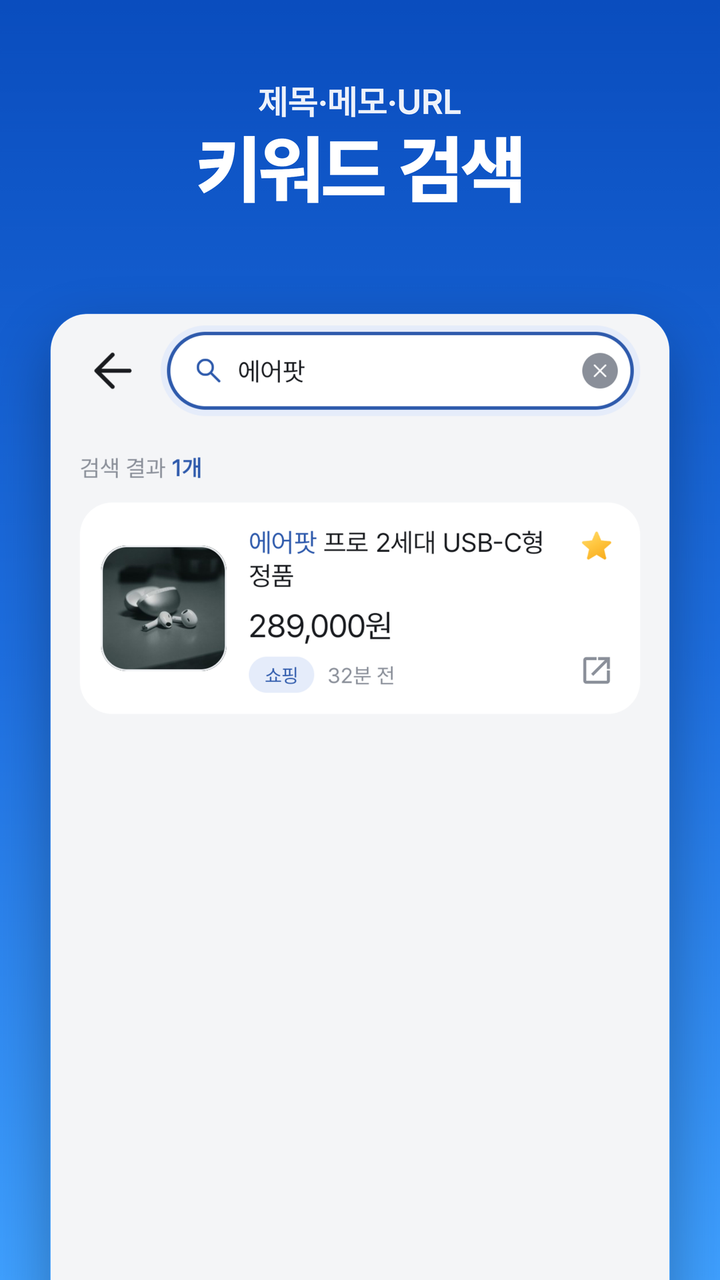
제목·메모·URL 통합 키워드 검색. 결과 카드에 매칭 키워드를 포인트 컬러로 강조.
Search across title, memo, and URL — matched keywords highlight in the primary color on each card.
✏️
분류 강요 X
No forced taxonomy
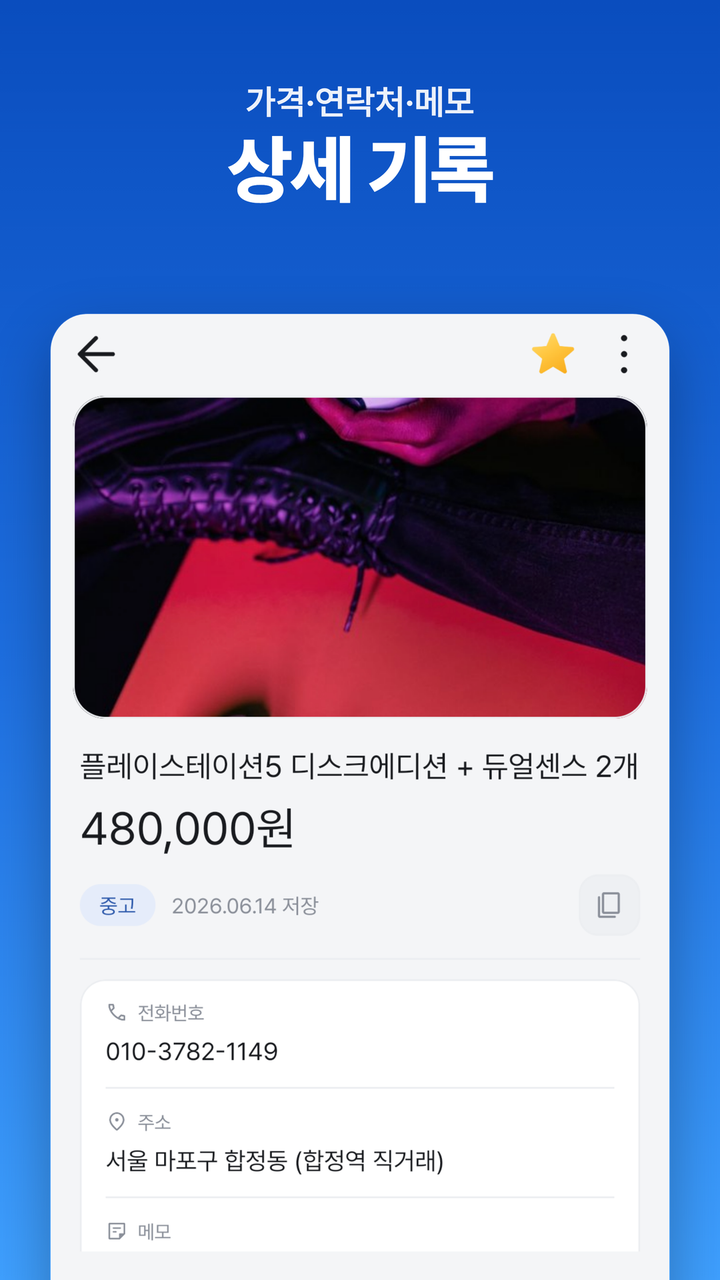
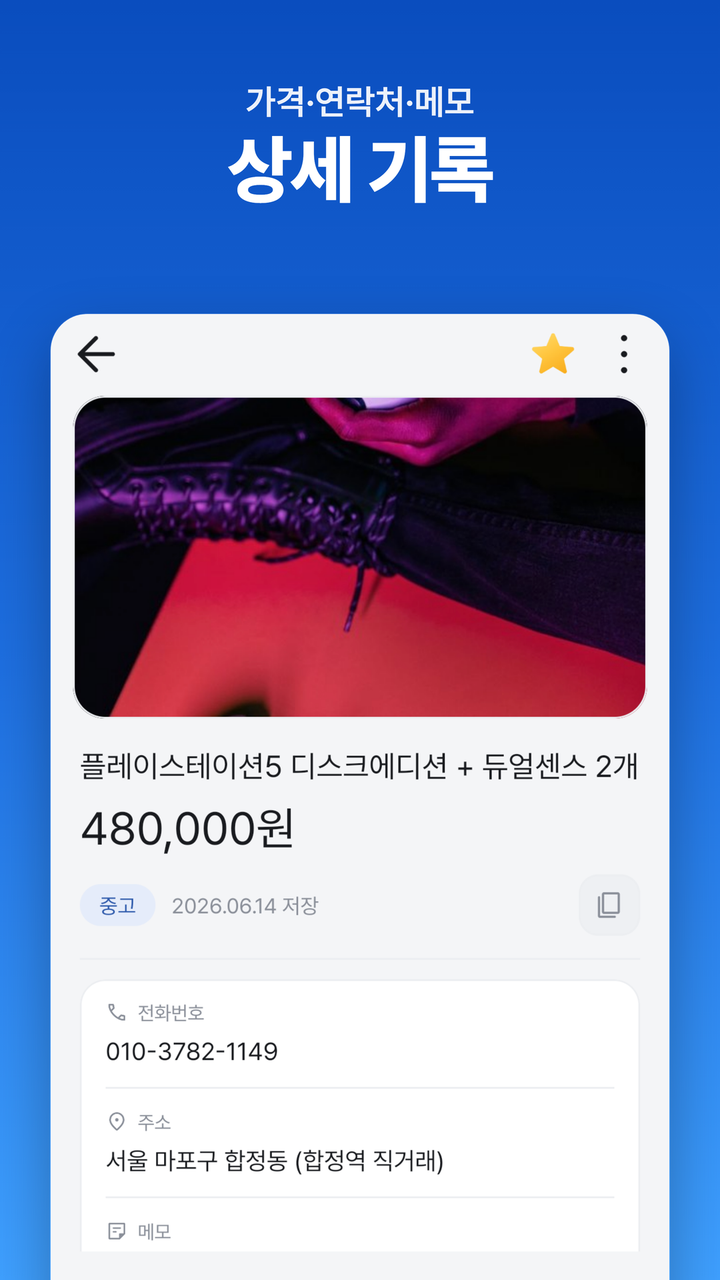
그룹·가격·메모·전화·주소 전부 선택값. 제목 비워도 저장은 무조건 됨 — URL과 저장 시각은 항상 남음.
Group, price, memo, phone, address — all optional. Even an empty title saves; URL + timestamp are guaranteed.
🌗
모니모 톤 UI
Restrained UI
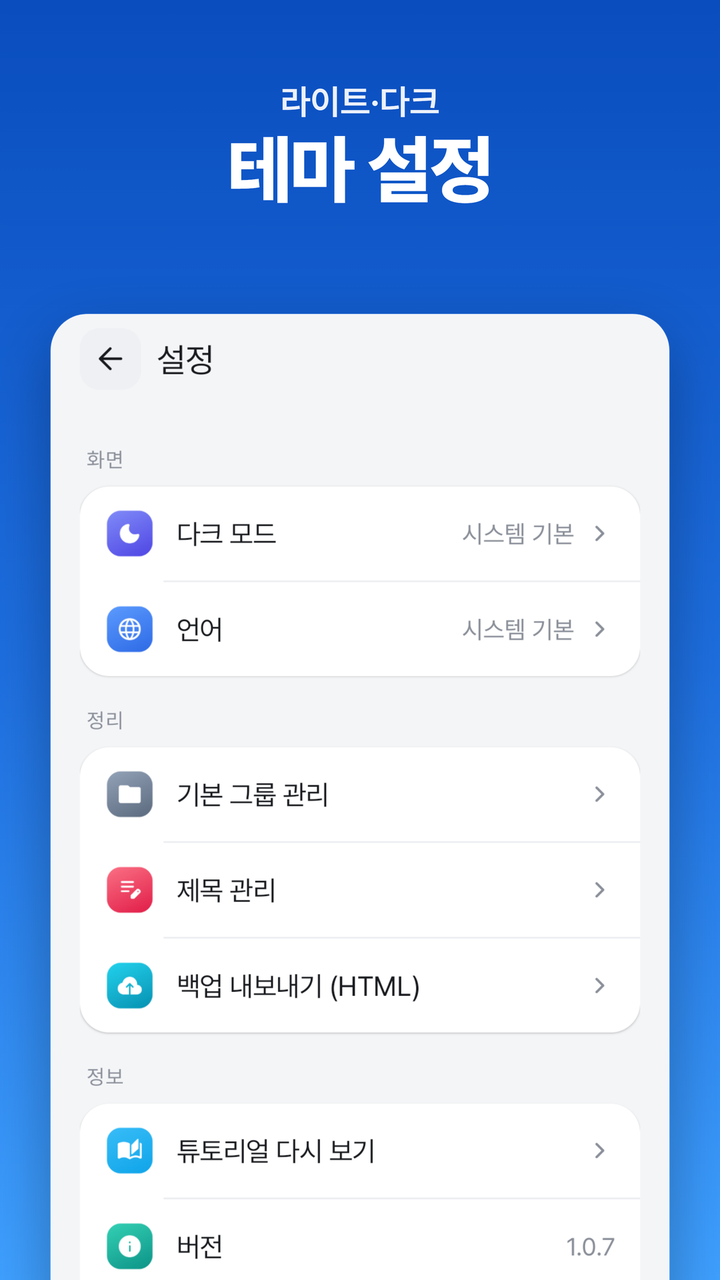
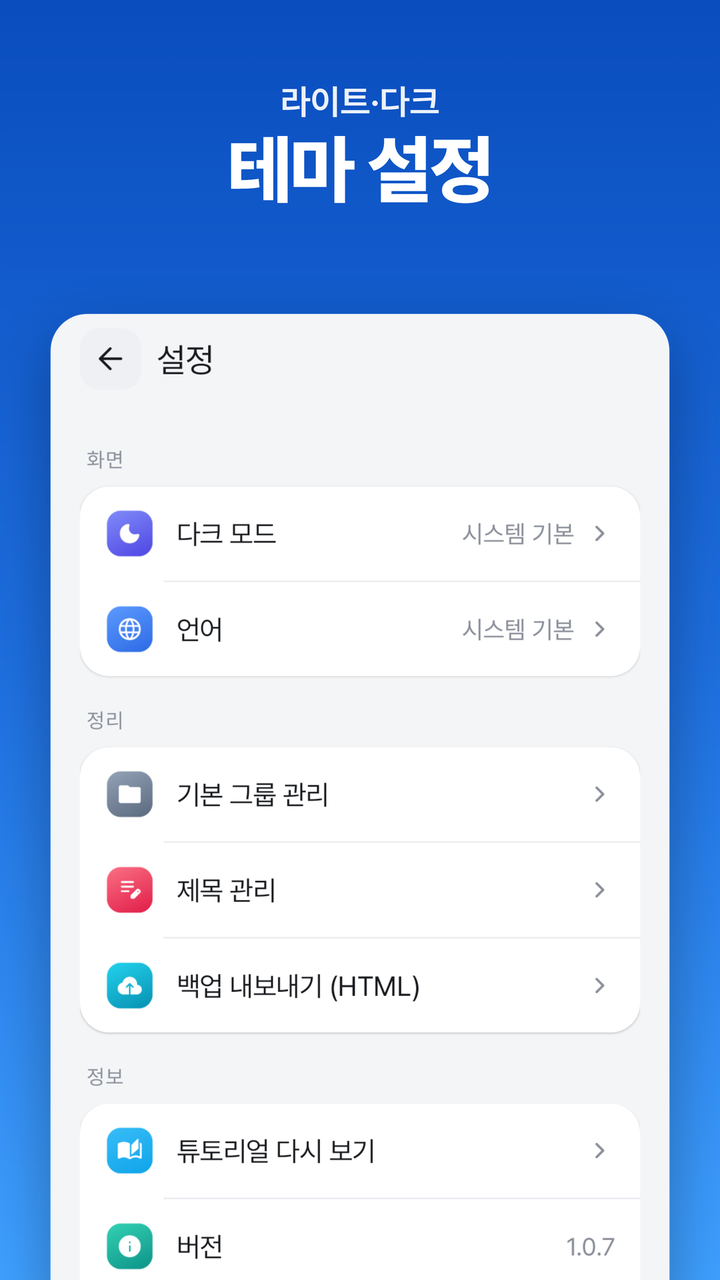
Calm Blue 단색 + Pretendard + Material 3. 카드 라운드 16dp, 짧고 부드러운 모션(150~250ms). 첫 실행 시 시스템 다크/언어를 그대로 따름.
Calm Blue accent + Pretendard + Material 3. 16 dp rounded cards, motion kept to 150–250 ms. First launch inherits system dark mode and locale.
기술 스택
Tech Stack
- Android · Java
- XML · ViewBinding
- Material 3
- Room · SQLite
- Navigation Component
- Jsoup
- Glide
- AdMob
왜 이 스택?
Why this stack?
처음 명세는 "Java + Jetpack Compose"였지만 Compose는 Kotlin 전용이라 불가. 코틀린 전환 대신 Java + XML(View 시스템) + Material 3 + ViewBinding으로 확정(2026-05-25). 같은 PC에서 출시 중인 TickScanner의 검증된 조합을 그대로 차용해 빌드·라이브러리 리스크를 0에 가깝게 줄였습니다. 서버·로그인 없음 — 모든 데이터는 단말 로컬.
The original spec called for Java + Jetpack Compose, but Compose is Kotlin-only. Rather than switching languages, I committed to Java + XML (the View system) + Material 3 + ViewBinding (2026-05-25), borrowing the exact build/library combo that already ships in TickScanner on the same machine. No server, no login — everything lives on-device.
아키텍처
Architecture
┌─────────────── Android App (Java · local-only) ─────────────┐
│                                                             │
│   Other app's share sheet                                   │
│       │ ACTION_SEND (text/plain)                            │
│       ▼                                                     │
│   MainActivity.handleShareIntent()                          │
│       │ UrlExtractor (regex pulls first http(s))            │
│       ▼                                                     │
│   SaveBottomSheet  (opens immediately — never blocks)       │
│       │                                                     │
│       ├──▶  Jsoup OgParser  ──▶ og:title + og:image         │
│       │     (ExecutorService, 8s timeout, all-exception     │
│       │      swallow → empty result fallback)               │
│       │                          │                          │
│       │            (async fill)  ▼                          │
│       │     etTitle (if empty) · thumbnail via Glide        │
│       │                                                     │
│       └──▶  Save  ──▶  Repository  ──▶  Room                │
│                                          ├ SavedLink        │
│                                          └ LinkGroup        │
│                                                             │
│   MainActivity  ◀── LiveData ── ViewModel ── Repository     │
│       group filter chips · favorite filter · search         │
│                                                             │
│   AdMob banner (adaptive, between filter and list)          │
└─────────────────────────────────────────────────────────────┘
서버·로그인·계정 없음. MVVM(ViewModel + LiveData + Repository) + Room으로 로컬에 모든 것을 두고, 외부 통신은 Jsoup 파싱 한 가지뿐. 광고는 메인 칩과 리스트 사이에 어댑티브 배너 1개.
No server, no accounts. MVVM (ViewModel + LiveData + Repository) on top of Room keeps everything local; the only outbound network call is Jsoup parsing. A single adaptive AdMob banner sits between the filter row and the list.
결정과 트레이드오프
Challenges & Decisions
문제Problem
처음 spec은 "Java + Jetpack Compose"였지만 Compose는 Kotlin 전용이라 Java로 작성 불가. 언어 전환은 다른 프로젝트와 일관성을 깨뜨림.
The first spec said "Java + Jetpack Compose," but Compose is Kotlin-only. Switching languages would have broken consistency across my Android projects.
접근Approach
Java를 유지하고 UI를 XML(View 시스템) + Material 3 + ViewBinding으로 전환. 비동기는 Coroutine 대신 ExecutorService, 네비게이션은 Navigation Compose 대신 Fragment 기반 Navigation Component. 같은 PC TickScanner의 검증된 라이브러리 버전 조합 차용.
Kept Java and pivoted to XML + Material 3 + ViewBinding. Replaced Coroutines with ExecutorService and Navigation Compose with the Fragment-based Navigation Component, mirroring the validated library versions from TickScanner on the same machine.
결과Result
2026-05-25 결정 확정. 빌드·의존성 충돌 0회로 안정 출발.
Locked in on 2026-05-25 — zero build/dependency conflicts from the start.
문제Problem
사이트별 OG 파싱 성공률이 천차만별 — 일반 쇼핑몰은 잘 되지만 중고나라(카페+로그인 벽)는 거의 실패. 파싱을 기다리면 저장 UX가 망가짐.
OG-parsing success varies wildly across sites — easy on shops, near-zero on Joongna (Naver Cafe + login wall). Waiting for parse would tank the save UX.
접근Approach
"파싱은 보너스, 저장은 보장." 저장 시트는 즉시 노출, OG 파싱은 ExecutorService에서 비동기로 채우고 모든 예외 swallow → 빈 결과로 폴백. URL과 저장 시각은 무조건 남기고, 자동 채움값이 와도 사용자 입력을 덮어쓰지 않음.
"Parse is bonus, save is guaranteed." Sheet opens instantly; parse runs on an ExecutorService and swallows every exception into an empty result. URL + timestamp always persist, and a late parse never overwrites user edits.
결과Result
파싱 0%인 사이트에서도 저장 100% 동작. 사용자는 "이상하게 멈춘 적이 없다"는 인상만 받음.
Even 0%-parse sites still save 100% of the time — users never see the save flow stall.
문제Problem
자동 추출 욕심을 부려 가격까지 파싱하려 하면, 사이트마다 형식이 달라 틀린 값을 자동으로 채우게 됨. 사용자는 자동값을 더 신뢰해서 오히려 혼란.
Auto-extracting price seemed clever, but the formats differ wildly and any wrong auto-fill hurts more than no auto-fill — users trust the automation too much.
접근Approach
"확실하지 않은 건 자동에서 빼고 수동으로." 자동은 url·createdAt·title·thumbnailUrl 4개만, 가격·전화·주소·메모·그룹·즐겨찾기는 전부 수동. DB는 url·createdAt 외 전부 nullable이라 스키마 변경 없이 적용 가능.
"If it's not certain, pull it out of auto and make it manual." Auto-fills only url, createdAt, title, and thumbnailUrl; price, phone, address, memo, group, and favorite are manual. Every column except url/createdAt is nullable, so the policy slotted in with no schema churn.
결과Result
자동 파싱 정확도 사실상 100%. 신뢰 가능한 쇼핑몰 한정으로 가격 자동 추출을 재도입할 여지는 남겨둠.
Auto-parse accuracy is effectively 100%, with room to bring price auto-extraction back for vetted shopping sites later.
현재 상태
Status
LIVE
Google Play 출시 · 글로벌 (한/영)
Live on Google Play · Global (Korean/English)
다음: 사용자 피드백 수집, 스토어 등록정보·스크린샷 보강, ASO 최적화.
Next: collect user feedback, polish store listing & screenshots, refine ASO.